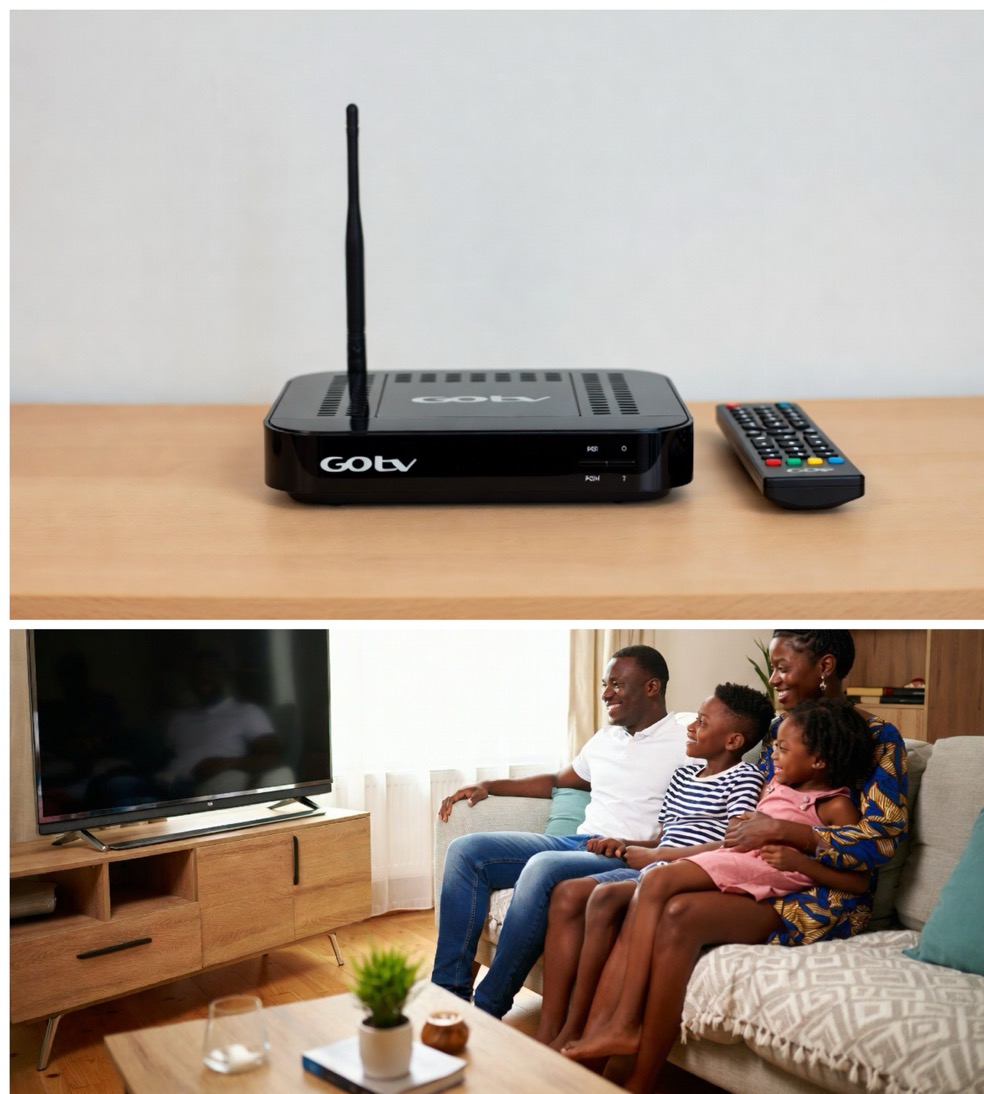
If you are wondering how much GOtv costs in Nigeria right now, you are in the right place. MultiChoice increased all GOtv and DStv subscription prices on March 1, 2025, and those are the prices that are still running in 2026. Whether you are renewing your current package, thinking about upgrading, or comparing packages before buying a new decoder, this guide breaks down everything — what each package costs, exactly what channels you get, and every way you can pay from your phone without leaving your house.
Let us get straight into it.
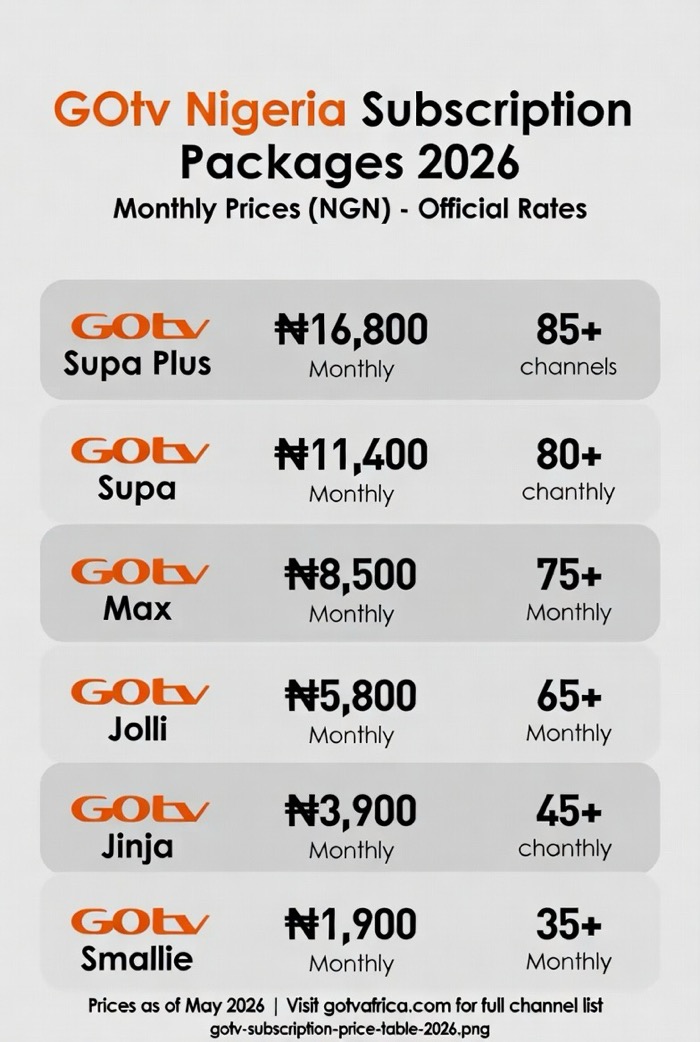
GOtv Subscription Prices in Nigeria 2026 — All Packages
There are six GOtv packages available in Nigeria. Here is the full breakdown of current monthly prices as updated by MultiChoice from March 1, 2025:
| Package | Monthly Price | Number of Channels |
|---|---|---|
| GOtv Smallie | ₦1,900 | 35+ |
| GOtv Jinja | ₦3,900 | 45+ |
| GOtv Jolli | ₦5,800 | 65+ |
| GOtv Max | ₦8,500 | 75+ |
| GOtv Supa | ₦11,400 | 80+ |
| GOtv Supa Plus | ₦16,800 | 85+ |
These prices were officially confirmed by MultiChoice Nigeria and reported by Sahara Reporters following the announcement. Keep in mind that MultiChoice has adjusted prices twice within recent years, citing rising operational costs, inflation, and foreign exchange pressures. It is worth checking back here whenever you hear news of a price change.
Now let us look at each package in detail so you can decide which one actually suits your household.
GOtv Smallie — ₦1,900 per Month
GOtv Smallie is the most affordable package on the lineup and was previously known as GOtv Lite. For ₦1,900 a month you get access to over 35 channels, which covers basic local entertainment, news, children’s programming, and a few general channels. It is a good fit for people who want to stay connected to Nigerian news and local content without spending much. Students in a single room, elderly relatives, or anyone who just needs the basics will find this package comfortable.
Key channels on Smallie include Channels TV, AIT, NTA, TVC News, Al Jazeera, Africa Magic Yoruba, Africa Magic Hausa, JimJam, Wazobia TV, and Silverbird Television. Sports coverage on this package is minimal — you get SuperSport Blitz for highlights only, not live matches.
You can also pay quarterly for ₦5,200 or annually for ₦15,400, which saves you money over paying month by month.
GOtv Jinja — ₦3,900 per Month
GOtv Jinja sits just above Smallie and adds 10 more channels on top of everything in the Smallie package. For ₦3,900 a month you get 45+ channels. The additions include more Africa Magic channels, E! Entertainment, and extra local content. It is a reasonable step up for households that want slightly more variety without jumping to a significantly higher price point.
If you are choosing between Smallie and Jinja, the ₦2,000 difference is worth it if there are children in the house who want more channels to switch between, or if you enjoy Africa Magic content regularly.
GOtv Jolli — ₦5,800 per Month
GOtv Jolli is where things start getting more interesting. At ₦5,800 per month you unlock 65+ channels and gain access to more sports, movies, and lifestyle content. This package adds channels like Telemundo, Fashion One, CNN International, BBC World News, and a couple of SuperSport channels for basic live sports. For a family that wants decent variety across news, entertainment, and some sports without spending too much, Jolli hits a solid middle ground.
Most households with children and mixed viewing tastes will find Jolli covers most of what they need day to day.
GOtv Max — ₦8,500 per Month
GOtv Max is the most popular package among regular GOtv subscribers. At ₦8,500 a month it gives you 75+ channels including a proper sports lineup with SuperSport Select 1, 2, 3, 4, and 5, plus Discovery Family, Nat Geo Wild, Nickelodeon, Disney Junior, BET International, FOX, Sony Max, CBS Reality, and the full Africa Magic suite.
If sports matter to you at all — football highlights, boxing, athletics, motorsport — Max is the lowest package where you will get meaningful live coverage. It also gives you good movie channels and comprehensive kids content, making it an excellent all-rounder for families.
GOtv Max is the package that comes free for one month when you buy a new GOtv decoder kit, which gives you a proper trial before you decide what to stick with.
GOtv Supa — ₦11,400 per Month
GOtv Supa takes everything in Max and adds more. At ₦11,400 you get 80+ channels with premium local programming, additional sports coverage, more movie channels, and a richer international content selection. The key additions over Max include more SuperSport channels and extended Africa Magic content.
Supa is the right choice if you are a serious sports fan who wants more live coverage than Max provides, but you are not specifically chasing all 380 Premier League matches per season.
GOtv Supa Plus — ₦16,800 per Month
GOtv Supa Plus is the flagship package and the one to choose if Premier League football is non-negotiable in your house. At ₦16,800 per month you get 85+ channels including access to all 380 EPL matches every season through the dedicated SuperSport Premier League channel. This is the single biggest difference between Supa and Supa Plus — Supa shows selected Premier League matches, but Supa Plus shows every single one.
Supa Plus also includes SuperSport Select 1-4, M-Net Movies 4, BET, Cartoon Network, CNN International, and the complete channel library across all lower packages. If your household revolves around live Premier League football, ₦16,800 is genuinely worth it compared to missing key matches or relying on streaming links.
How Much Does a New GOtv Decoder Cost in Nigeria?
If you are buying GOtv for the first time, the complete starter kit — which includes the GOtv decoder, the GOtenna antenna, and accessories — currently costs ₦22,000. That price includes a free one-month GOtv Max subscription so you can start watching immediately without any additional payment. After the free month, you then subscribe to whichever package you prefer going forward.
You can buy the kit from authorised GOtv dealers across Nigeria, from electronics shops in most major markets, or online through platforms like Jumia. Always buy from an authorised dealer to ensure you get a genuine decoder with a valid warranty.
Once your decoder is set up, see our full guide on how to fix and install your GOtv antenna if you run into any assembly or signal issues during setup.
How to Pay GOtv Subscription in Nigeria — Every Method That Works in 2026
This is where most people want the most help. GOtv has made payment genuinely flexible — you do not need to visit a bank or a GOtv office. Here are all the ways you can renew from your phone or at home.
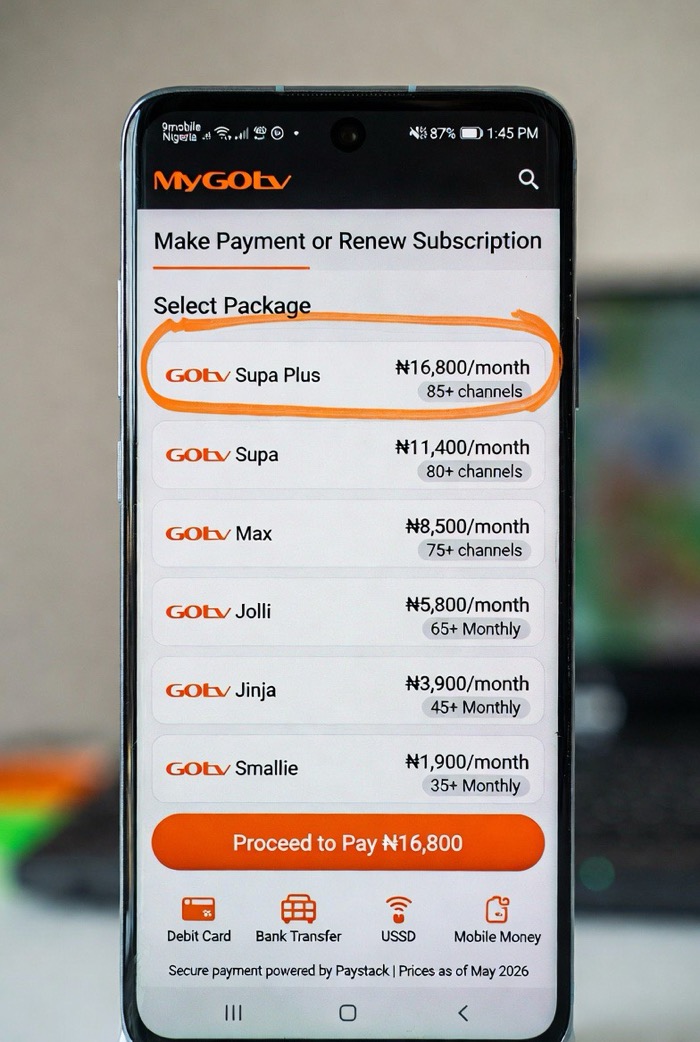
1. MyGOtv App (Easiest Method)
The MyGOtv app is available on both Android (Google Play Store) and iOS (Apple App Store). Download it, log in with your IUC number and registered phone number, select your package, and pay with your debit card or bank transfer. The subscription updates within minutes. This is the most convenient option if you have a smartphone and a working debit card.
2. USSD Codes — Pay Without Internet
If you do not have access to the internet or prefer not to use an app, USSD codes are the fastest alternative. Here are the codes for the major Nigerian banks:
- GTBank: Dial *737*37*AMOUNT*IUC NUMBER#
- First Bank: Dial *894*AMOUNT*IUC NUMBER#
- Zenith Bank: Dial *966*7*AMOUNT*IUC NUMBER#
- Fidelity Bank: Dial *770*1088*IUC NUMBER*AMOUNT#
- WEMA Bank: Dial *945*17*IUC NUMBER#
- Heritage Bank: Dial *322*030*1088*AMOUNT#
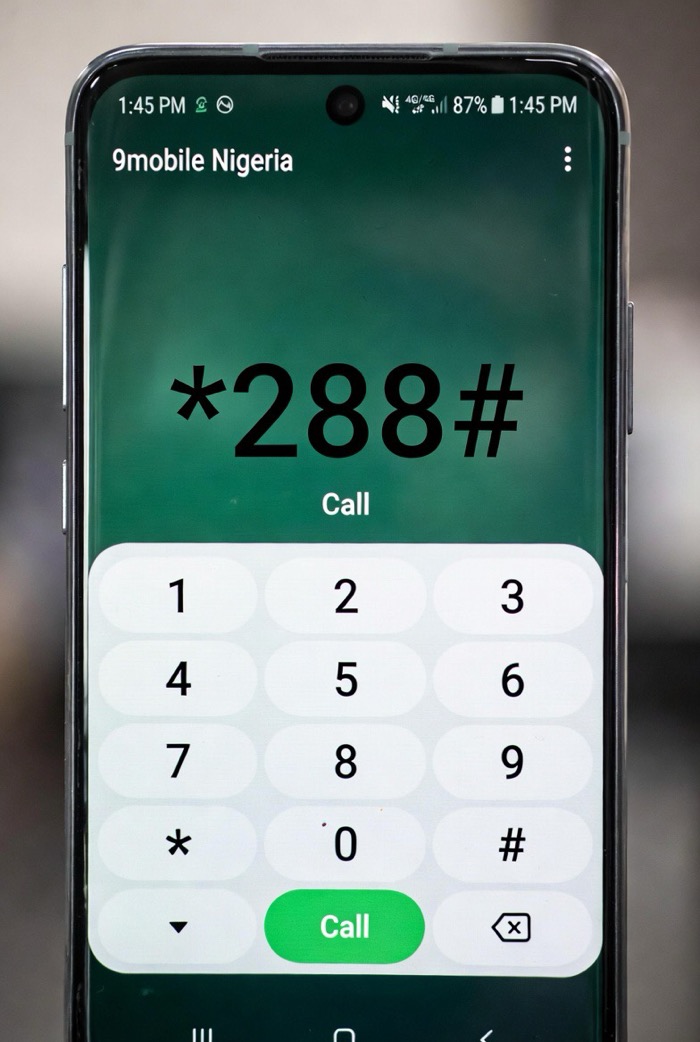
- General GOtv USSD: Dial *288# to manage your account
Replace AMOUNT with the actual subscription price for your chosen package, and IUC NUMBER with the 10-digit number found on the back of your GOtv decoder or on your smartcard.
3. GOtv Short Code — SMS Method
You can also send an SMS to 4688 from the phone number registered to your GOtv account. Send the word BALANCE followed by your IUC number to check your current balance and due date before paying. To reset your account after payment if channels are not showing, send RESET followed by your IUC number to 4688.
4. Online Payment Platforms
Several trusted third-party platforms let you pay GOtv subscription online with your card or bank transfer. VTpass (vtpass.com) is one of the most reliable — you simply enter your IUC number, select your package, and pay. QuickTeller is another option. These platforms are particularly useful if you are paying for a family member’s subscription remotely.
5. Bank Transfer or Mobile Banking App
Most Nigerian banking apps (GTBank, First Bank, Access Bank, Zenith, UBA, etc.) have a “Pay Bills” section where GOtv appears as a biller. Select GOtv, enter your IUC number and the amount, and confirm. Payment typically reflects within five minutes.
6. Walk-In Bank Payment
If you prefer paying in person, you can walk into any Nigerian bank branch, request a GOtv payment teller, fill in your name, IUC number, and the subscription amount, and submit it at the counter. This is the slowest method but works perfectly if you are not comfortable with online or mobile payments.
GOtv Subscription Prices in Ghana, Kenya and Other African Countries
GOtv is available in eight countries across Africa: Nigeria, Ghana, Kenya, Uganda, Namibia, Malawi, Zambia, and Mozambique. The packages available and their names differ slightly by country, and prices are set in local currency for each market.
In Kenya, the packages are named differently (Lite, Essential, Plus, Max, Supa, Supa Plus) and payment is most commonly made via M-Pesa using GOtv Paybill number 423655. The MyGOtv app works in Kenya the same way it does in Nigeria.
In Ghana, the package structure is similar to Nigeria but prices are listed in Ghana Cedis. Payment can be made via mobile money, bank transfer, or authorised dealers.
If you are in any of these countries, check the official GOtv website for your country’s specific current pricing, as MultiChoice reviews prices per market independently.
Why Did GOtv Prices Increase in 2025?
A lot of subscribers were unhappy when MultiChoice announced the March 2025 price increase — and understandably so. The company cited rising operational costs driven by inflation, foreign exchange pressures (most content rights are priced in dollars), and the increased cost of acquiring and delivering content across Africa. MultiChoice noted this was the second price adjustment within a short period, which made it particularly difficult for subscribers to absorb.
The honest reality is that GOtv is still significantly cheaper than DStv for comparable content. If you are on a budget and the Supa Plus price feels steep, stepping down to GOtv Max at ₦8,500 gives you very solid value — sports, movies, kids, news, and local content — without breaking the bank.
Which GOtv Package Should You Choose?
Here is a simple guide to help you decide without overthinking it:
- You just want Nigerian news, local channels, and basic entertainment → GOtv Smallie at ₦1,900
- You want more variety and Africa Magic content for the family → GOtv Jinja at ₦3,900
- You want decent sports highlights and a good mix of channels → GOtv Jolli at ₦5,800
- You want live sports, movies, kids’ channels, and a full entertainment package → GOtv Max at ₦8,500 — this is the sweet spot for most households
- You are a serious sports fan and want comprehensive live coverage → GOtv Supa at ₦11,400
- Premier League is life and you cannot miss a single match → GOtv Supa Plus at ₦16,800
You can upgrade or downgrade your package at any time using the MyGOtv app or by calling GOtv customer care. You are never locked in.
GOtv Customer Care — How to Reach Them in 2026
If your payment goes through but your channels do not come back, or you run into any account issues, here are the current GOtv Nigeria contact details:
- Phone: 08039044688
- USSD self-service: *288# (check balance, fix errors, reconnect)
- SMS shortcode: 4688 (send RESET + IUC number to reconnect)
- Twitter/X: @GOtvNg
- Facebook: facebook.com/GOtvNg
- Website: gotvafrica.com/en-ng
If your GOtv is showing a no signal error even after a successful payment, the problem is usually with your antenna connection rather than your account. See our detailed guide on how to fix the GOtv E48 no signal error for step-by-step troubleshooting.
If channels go missing after subscription, our guide on how to recover lost GOtv channels walks you through the reset process quickly.
And if you are having issues with your decoder showing red, orange, or green lights with no picture on screen, the fixes are covered in our GOtv decoder light colours guide.
Frequently Asked Questions
How much is GOtv subscription per month in Nigeria in 2026?
GOtv monthly prices in Nigeria range from ₦1,900 for Smallie to ₦16,800 for Supa Plus. The six available packages are Smallie, Jinja, Jolli, Max, Supa, and Supa Plus. These prices have been in effect since March 1, 2025.
What is the GOtv USSD code for subscription?
Dial *288# on your registered mobile number to manage your GOtv account, check your balance, fix errors, and reconnect your decoder. For bank-specific payment USSD codes, see the full list in the payment section above.
Can I upgrade my GOtv package without buying a new decoder?
Yes, absolutely. You can upgrade or downgrade your GOtv package at any time using the MyGOtv app, by dialing *288#, or by calling 08039044688. Your existing decoder supports all packages — you never need a new one just to change your subscription level.
How much is a new GOtv decoder in Nigeria?
A complete GOtv starter kit costs ₦22,000 and includes the decoder, GOtenna antenna, and one free month of GOtv Max subscription.
Which GOtv package shows Premier League matches?
GOtv Supa Plus at ₦16,800 per month broadcasts all 380 Premier League matches every season. GOtv Supa at ₦11,400 shows selected Premier League matches only. Packages below Supa do not include live Premier League coverage.
How do I pay GOtv subscription with my phone?
You can pay using the MyGOtv app, your bank’s USSD code, your bank’s mobile app (under Pay Bills), or through VTpass.com. All of these methods work without visiting any office or standing in any queue.

Frenzy valentine is a passionate blogger, developer, and entrepreneur. He is the founder and author of myfreshgists.com.
1 thought on “GoTV Nigeria: Subscription Payment, Customer Care, Self Service, Channels”