You can recover lost GOtv channels yourself in most cases, often in under 15 minutes. Maybe all of them vanished, maybe just a few favourites, or maybe a rescan found fewer channels than before. It is one of the most common GOtv problems.
The fix depends on how the channels went missing. This guide helps you find your situation first, then gives the exact fix for it.
On This Page
- Find your problem
- How to rescan GOtv channels
- Why you only get some channels after a scan
- Channels missing after payment
- A channel is missing but everything else works
- The scan finds nothing or never finishes
- How to stop losing channels
- Common questions
To Recover Lost GOtv Channels, First Find Your Problem
Lost GOtv channels have three main causes. Channels that vanish on their own usually need a rescan. Channels that disappear after you pay usually need a reset sent to the decoder. A single favourite channel that goes missing has often moved package or changed number.
Match what you see to the right fix:
- All or most channels gone, no error code: rescan. See the next section.
- Fewer channels than before after a scan: a weak signal on part of the network. See “Why you only get some channels”.
- Channels gone with an E16 or E30 code, especially after paying: send a reset. See “Channels missing after payment”.
- One or two channels missing, the rest fine: check your package. See “A channel is missing”.
- No channels at all and the scan finds nothing: a signal or antenna problem. See “The scan finds nothing”.
How to Rescan GOtv Channels
A rescan makes the decoder search again for every GOtv channel it can receive. Open the menu, go to the installation or tuning section, choose the automatic scan, and let it finish without touching the remote. It usually takes a few minutes.
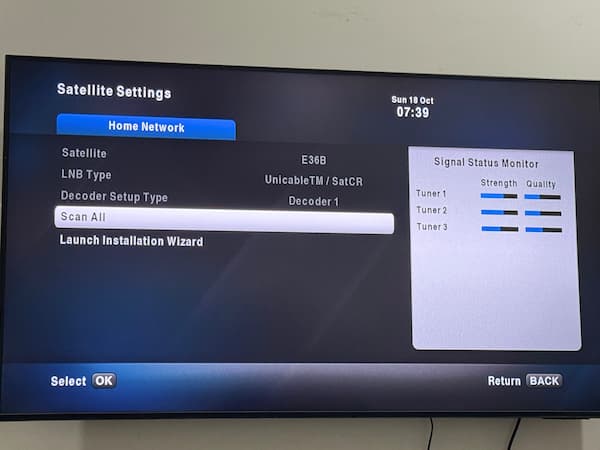
On most GOtv decoders the path is:
- Press Menu on the GOtv remote.
- Go to Advanced Options, then Installation.
- Choose Tuning, then Automatic Scan, and press OK.
- Wait for the scan to finish. Do not change channels or switch off.
- Press Exit when it is done, and check your channel list.
Menu names vary slightly between GOtv decoder models, but every model has an installation or scan option. If your menu asks for a PIN, use the PIN you set up, or the default PIN printed in your decoder’s guide.
Rescan after a power cut, after moving the antenna, and whenever channels seem to be missing. It is the quickest way to recover lost GOtv channels. It costs nothing and fixes more problems than any other step.
Why You Only Get Some Channels After a Scan
GOtv sends its channels on several different frequencies, and each frequency carries a group of channels. If your antenna picks up one frequency well but another poorly, the scan finds only the first group. You get some channels, and a whole block of others is missing.
This explains the most common complaint about GOtv: “My signal shows 70 percent, but I only got 31 channels.” The signal bar you see often reflects one frequency only. Another frequency, carrying the missing channels, can be too weak to lock on.
To get the missing group back:
- Raise the antenna. Height matters more than anything else for GOtv. Even one or two metres higher can bring in a weak frequency.
- Point it towards the nearest GOtv transmitter. Ask neighbours whose GOtv works which way their antenna faces.
- Move it away from metal roofs, water tanks and walls, which block and scatter the signal.
- Check the cable and connector, because a damaged cable weakens some frequencies more than others.
- Rescan after every change, since the decoder only finds channels during a scan.
Indoor antennas often cause this problem. If you are using one, try an outdoor antenna mounted high. Our guide on how to fix a GOtv antenna walks through placement and direction step by step.
Channels Missing After Payment
If your channels disappear or show E16 after you pay, your payment has gone through but the decoder has not received its activation yet. Leave the decoder switched on, tuned to a GOtv channel, and send a reset. Channels usually return within 15 minutes.
The activation is sent over the GOtv signal. If the decoder was off, or had no signal when you paid, it missed it. A reset sends it again.
How to send a GOtv reset
- GOtv website or app: sign in with your IUC number and use the option to clear an error or reset the decoder.
- Nigeria: dial *288# and choose the option to fix errors or reset.
- Uganda: GOtv’s official help page says to SMS “reset” with your IUC number to 4688.
- Other countries: use your country’s GOtv website, app or customer care line, since codes differ by country.
Your IUC number is the 10 digit number on the sticker under or behind the decoder. You need it for every reset.
If channels still do not return
Check that the payment was for the right IUC number. A payment made to a mistyped number will not reach your decoder. Our guide on resolving a wrong GOtv payment explains what to do. If the decoder shows a red or orange light, see our guide to GOtv decoder lights.
A Channel Is Missing but Everything Else Works
When one favourite channel goes missing while others work, it has usually moved to a different package, changed its channel number, or left GOtv. A rescan will not bring it back if it is no longer in your package.
GOtv changes its channel line ups from time to time. A channel that was in your package last year may now sit in a higher package. Some channels are also available only in certain countries or regions.
First, rescan and scroll through the full channel list, in case the channel has a new number. Then check the current channel list for your package on the GOtv website for your country. If the channel is now in a higher package, upgrading is the only way to get it back. Our GOtv packages and channels guide covers the packages.
The Scan Finds Nothing or Never Finishes
A scan that finds zero channels, or stays at the same percentage, means the decoder is not getting a usable signal. Check the antenna cable at both ends, make sure the antenna is outdoors and high, and confirm the antenna is plugged into the right socket on the decoder.
Work through these:
- Switch the decoder off at the wall for 60 seconds, then on again, and rescan.
- Check the antenna cable is pushed firmly into the decoder’s antenna input socket.
- Look along the cable for cuts or crushed sections, and check the connector at the antenna.
- Take the antenna outside and up as high as you safely can, then rescan.
- If you live far from the transmitter, a stronger outdoor antenna may be needed.
Does the decoder ask for a transmitter frequency, or keep scanning without end? Then our guide to fixing GOtv stuck scanning covers it.
If nothing works and your neighbours’ GOtv is also down, the problem may be at the transmitter. Wait a few hours, then rescan.
How to Stop Losing GOtv Channels
- Keep the decoder on when you pay, so it receives the activation straight away.
- Pay before your subscription runs out. A long gap can leave the decoder needing a reset.
- Use a surge protector, because power surges can corrupt the decoder’s settings.
- Fix the antenna firmly, so wind cannot turn it away from the transmitter.
- Rescan every few months, to pick up channel changes.
Common Questions
How do I recover lost GOtv channels?
Run an automatic scan from the menu, under Installation and Tuning. If the channels disappeared after you paid, leave the decoder on and send a reset using your IUC number.
Why do I have fewer GOtv channels than before?
Your antenna is probably receiving one GOtv frequency well and another poorly. Raise the antenna, point it towards the transmitter, check the cable, and rescan.
Why did my GOtv channels disappear after a power cut?
The surge or sudden shutdown can upset the decoder’s channel list. Restart the decoder and run an automatic scan. If channels show E16, send a reset.
Why is only one GOtv channel missing?
It has usually moved to a different package, changed number, or been removed. Rescan, check the full list, then check your package’s current channels on the GOtv website.
How long does a GOtv reset take?
Usually a few minutes, and up to about 15 at busy times. Keep the decoder switched on and tuned to a GOtv channel while you wait.
Does rescanning delete my subscription?
No. A rescan only searches for channels again. Your subscription stays on your account.
The Short Version
To recover lost GOtv channels, rescan first, because it fixes most missing channels. If you get only some channels, raise and redirect the antenna, then rescan. Channels that vanished after payment need a reset: keep the decoder on and send one with your IUC number. If one favourite channel is gone, check whether it has moved package.
For resets, payments and the current channel list for your country, use the official GOtv Africa website.

Frenzy valentine is a passionate blogger, developer, and entrepreneur. He is the founder and author of myfreshgists.com.
Hi after resetting my decoder,somr channels are still missing,what can I do
My gotv has been showing No Signal since two days now
After rescanning and resetting
Still my favourite channels are yet to show like channel 25 and 9
I subscribed 3600 after then I have nuisance channel that is not interesting, most of my channels disappear what could be the reason?
Hello my gotv automatic scan is not complete for over three days now pls what could be the problem
I need your customer care line pls
Hello I have done my subscription but its not showing, its only one channel that is showing
Wait for at least 2 hourse after subscription payment
Hello,I got my gotv decoder last week and I got all the channels after few days some of the channels were missing and I’ve been scanning it for days its still bring in out the same channels.I’m not happy about this
Reset your GOTV decoder
Hi…i have problems with my decoder…i have paid the subscription fee…but after three months…and during that period some channels got lost…after paying only 3 channels show and the rest still habe error codes and some are lost…what could be the problem?
Hello Stella, always pay for your GOTV subscription before due date to avoid disconnection which could result to missing channels when you finally pay. Reset your decoder to get back your full channels
Hi pls am having issues with my gotv decoder, All the channels are not showing ,am having only 31channels and my scription have not to expire, the signal strength is 70/100 . what should I do..plz
Restart your decoder and also check if the antenna power is turned on. Turn it off if its turned on and then rescan
Pls am having problem with my gotv… I have reset it but some channels are missing… Only 31 is showing…
Hello JaneFrancis, thanks for reaching out to us. To get your full channels back, rescan for channels. Ensure that you turn off antenna power
Hi I have a problem with my decoder where by my favorate local channel’s like channel 44 in Uganda are not showing and o have restarted it it only bringing few channels my no is [number removed] Thanks
Reset your decoder
I didnt get all my channels in gotv plus…like citizen, maisha magic, k24, Africa magic epic…kindly assist I’ve been texting you fb but you ignoring me
My iuc no.[number removed] please check at your end
Hi some of the channel are missing from yesterday have restarted but still not working
Reset the decoder to get your Channels back
I have problems resetting gotv lost channels which are my favourites but in vain,customer care are not helpful. Am planning to buy a different decoder, nkt.
Please i dont i kw wat is wrong i subscribe for 1900 i i dont wat is wrong there is missing channel i reset it is not wroking
You can get your GOTV lost channels back by either resetting your decoder… Also try and pay for your subscription before it expires ..that will stop your Channels from disappearing
Please i need urgent attention, my gotv show (invalid channel number), is only 10 channels is currently working. Have repositioned the attener, but it still the same..
What can i do?
Unplug your decoder and plug it again. Scan for channels. Ensure your decoder is facing the transmitter position
My gotv is showing need to scan channels and have remote there is signal but is not working. Don’t know what to do
Check if the rf port is well connected… You may need to tear off the end that connects to the antenna
Hi please am having issues with my gotv decoder some channel are missing and I have rescan even reset it but all the same
Turn it off and on again.. If the issue continues after rescanning then contact GOTV customer care