Buying a second decoder just to watch GOtv in another room isn’t necessary. A single decoder can feed a second TV using inexpensive cable accessories most electronics shops carry, without any extra monthly subscription.
There’s one thing worth understanding before you start, though. GOtv decoders are single-tuner devices, which means every TV connected to one shows the exact same channel at the exact same time. No cable trick or add-on device changes that, since the decoder is only ever processing one channel’s worth of signal regardless of how many screens it’s feeding. If you’re picturing two households watching two different shows off the same box, this isn’t that setup, and it’s worth knowing that going in rather than discovering it after wiring everything up.
What You’ll Need
This setup uses cheap, widely available parts rather than anything specialized.
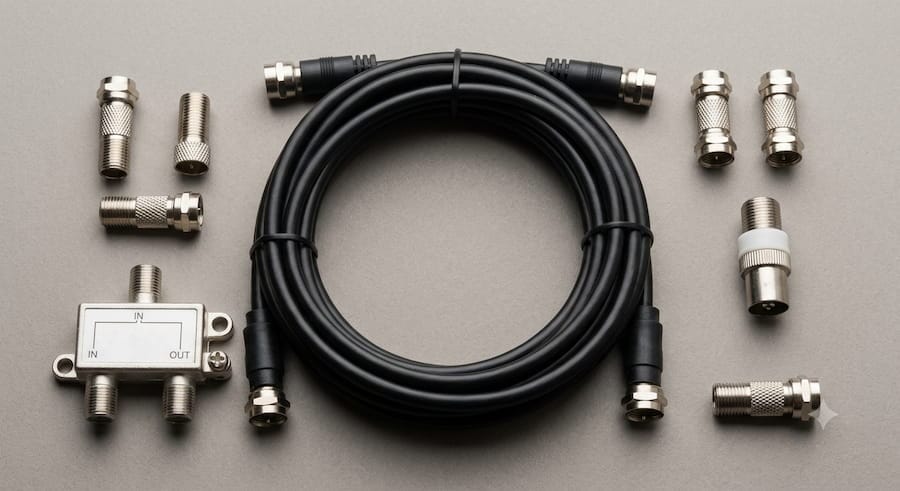
- A length of coaxial cable, sized to reach your second TV
- Two F-type connectors
- One F-type female to TV PAL male coaxial adapter
- A signal splitter, if connecting three or more TVs instead of just two
- A digital signal booster, only needed if the cable run to the second TV is longer than about 30 meters
How to Connect a Second TV
Prepare the Cable
Attach an F-type connector to each end of your coaxial cable. Then attach the F-type female to TV PAL male adapter to the end that will plug into the second TV’s antenna input, since most TVs use this connector type rather than a bare F-connector.
Connect to the Decoder’s RF Out Port
Turn off the decoder before making any connections. Locate the port labeled RF OUT on the back of the decoder, and connect one end of your prepared cable there. If you’re only adding one extra TV, this is a direct connection with no splitter needed.
Connect to the Second TV
Run the cable to the second TV and plug the adapter end into its antenna or aerial input port. Turn both the decoder and the second TV on, then run a channel scan on the second TV using its normal remote control menu, since the process varies slightly by TV brand and model.
Once the scan finishes, the GOtv signal will appear as a regular analog channel in the second TV’s channel list rather than as a separate app or input. Save it like any other found channel, and you’ll be able to tune to it going forward the same way you’d select any other channel.
Connecting Three or More TVs
If you want to extend the signal to more than two TVs total, use a signal splitter instead of a direct connection. Run one cable from the decoder’s RF OUT port into the splitter’s input, then run a separate cable from each of the splitter’s output ports to each additional TV, repeating the same channel scan process on every TV.
The more TVs you split the signal across, the more the signal strength drops at each one, so keep an eye on picture quality as you add connections. If any TV is a long distance from the decoder, generally more than 30 meters of cable, a digital signal booster placed along that run helps prevent a noticeably weaker picture at the far end.
Changing the Channel from the Other Room
Once both TVs are connected, changing the channel from wherever the decoder physically sits is fine, but it’s a hassle if the second TV is in a bedroom down the hall. A device called a remote blaster solves that specific problem. It sits near the second TV, picks up your remote’s signal, and relays it back to the decoder so you can change channels without walking to where the box actually is.
Just remember what it does and doesn’t do. A remote blaster only moves the job of changing the channel closer to you, it doesn’t create a second, independent channel. Whatever gets selected still plays on every connected TV at once, including the one in the living room.
If You Actually Need Two Different Channels
Genuinely independent viewing, where one TV shows one channel and another shows something else entirely, isn’t something a cable, splitter, or remote gadget can add to a standard GOtv decoder. That capability comes from the hardware itself having two tuners, and GOtv’s decoder lineup doesn’t include a model built that way.
DStv has this option on some of its own decoders, either through older dual-tuner models paired with an accessory called a TV-Link, or through XtraView, which links two full decoders together under one subscription for a small added monthly fee. Neither of those is a small plug-in device for an existing single-tuner box, and neither is currently offered on the GOtv platform. If two truly independent channels running at once matters more to you than saving on a second subscription, a separate decoder for the second TV is really the only way to get there on GOtv.
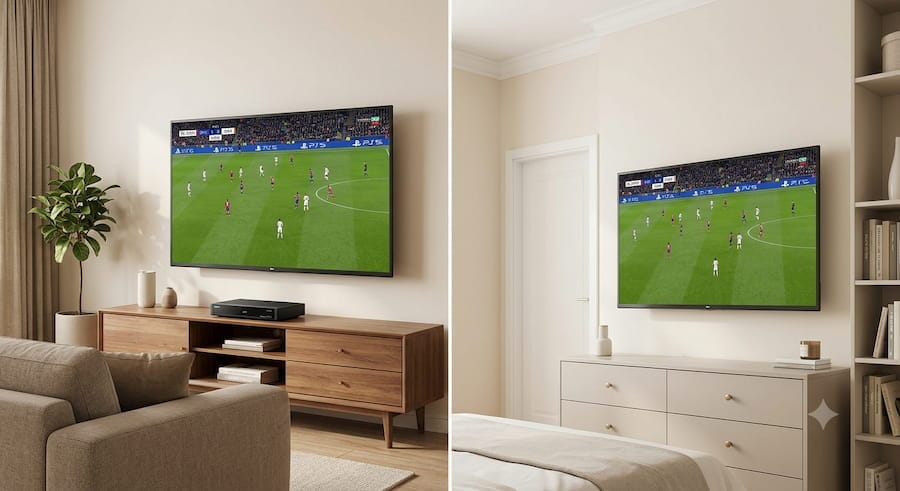
For most households, though, sharing one channel across a couple of rooms is exactly what people are after, whether that’s keeping a match on in the bedroom while it plays in the living room, or letting one TV free up for something else without missing the show. Set up that way, this coaxial splitter method costs very little and takes under half an hour to get running properly. For antenna positioning issues that can affect the signal reaching every connected TV, our guide to fixing GOtv antenna problems covers the most common causes.

Frenzy valentine is a passionate blogger, developer, and entrepreneur. He is the founder and author of myfreshgists.com.