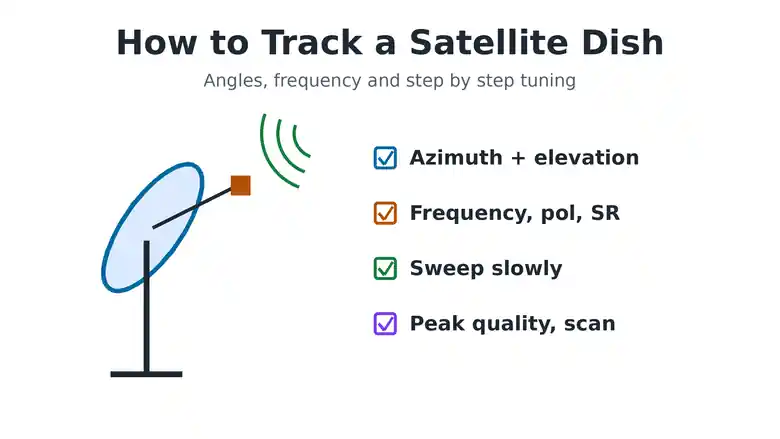
To track a satellite dish, find the dish angles for your satellite with a satellite finder app, then mount the dish on an upright pole and set the elevation. Point it roughly in the right direction, then enter one transponder from that satellite (frequency, polarization and symbol rate) in your receiver’s manual search. Turn the dish very slowly until the signal quality bar rises, stop at the highest steady reading, tighten the bolts and scan for channels. Take the transponder details from a current list such as KingOfSat or LyngSat, because old frequencies posted online often no longer work.
This guide explains each step, the terms you will see on the receiver, and how to find a working frequency for the satellite you want.
What You Need to Track a Satellite Dish
- Dish: the right size for the satellite and your location. Strong beams work with 60 to 90 cm. Weak or distant beams need a larger dish.
- LNB: a universal Ku band LNB for most home satellite TV.
- Cable: good RG6 coaxial cable with properly fitted F connectors.
- Receiver: a free to air decoder, such as a Strong decoder, with a manual search or transponder menu and a signal quality bar.
- Angles: the azimuth and elevation for your city, from a satellite finder app or website.
- Transponder: one current frequency, polarization and symbol rate on the satellite you want.
- Optional: a satellite finder meter, a spanner and a helper to watch the TV.
For help with cable connectors, see our guide to the right RF connector for installation.
Satellite Dish Tracking Terms Explained
- Azimuth: the compass direction the dish faces, measured from true north. East is 90 degrees, south is 180 degrees.
- Elevation: how far the dish tilts up from the horizon.
- Skew: how far the LNB is rotated in its holder to match the satellite signal.
- Frequency: the transponder frequency in MHz, for example 11823.
- Polarization: H for horizontal or V for vertical.
- Symbol rate: the data rate of the transponder, for example 27500.
- LNB frequency: for a universal LNB, the receiver usually uses 9750 for low band and 10600 for high band.
- Strength and quality: strength shows any signal. Quality shows that the receiver has locked on to the right satellite. Track by quality.
How to Track a Satellite Dish Step by Step
- Find your angles. Use a satellite finder app or website. Choose the satellite, allow your location, and note the azimuth, elevation and LNB skew.
- Check the view. Stand where the dish will go and look along the azimuth. Trees, walls, water tanks and new buildings block the signal.
- Fix the pole upright. Use a spirit level. A leaning pole makes the elevation scale wrong and the dish hard to track.
- Set the elevation. Use the scale on the dish bracket. Most home dishes are offset dishes, so the face looks more upright than the elevation number.
- Point it roughly. Turn the dish to the azimuth from the app. Tighten the bolts just enough that the dish stays put but can still turn by hand.
- Set the LNB skew. Rotate the LNB in its holder to the skew angle from the app.
- Enter the transponder. In the receiver’s manual search, choose or add the satellite, then enter the frequency, polarization and symbol rate. Set the LNB type to universal.
- Sweep slowly. Move the dish a tiny amount left or right, wait two or three seconds, and watch the quality bar. If nothing appears, raise or lower the elevation a little and sweep again.
- Peak the signal. When quality appears, find the highest steady reading for direction, then for elevation, then for skew.
- Lock and scan. Tighten every bolt evenly while watching the reading, then run a blind scan or a full satellite scan.
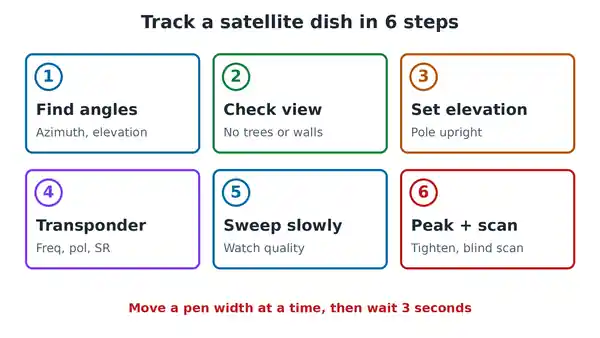
Move in very small steps. At these distances, a turn the width of a pen is enough to go past the satellite. For more on fine tuning without a meter, see our guide on how to align a satellite dish without a meter.
How to Find the Right Frequency for Tracking
Satellites change. Old satellites are retired, channels move and transponders are switched off, so frequencies copied from old forum posts often fail. Use a list that is updated regularly instead:
- Open KingOfSat or LyngSat and choose the orbital position, for example 36 degrees East.
- Look for a transponder on a beam that covers your country, such as a Sub-Saharan Africa or West Africa beam.
- Pick one with a high symbol rate, such as 27500 or 30000. These are usually strong and easy to lock.
- Note the frequency, polarization and symbol rate, and whether it is DVB-S or DVB-S2.
- Enter those values in your receiver’s manual search.
The transponder you track with does not need free channels. It only needs to give your receiver a signal to lock on to. Once the dish is peaked, a blind scan finds every channel on that satellite.
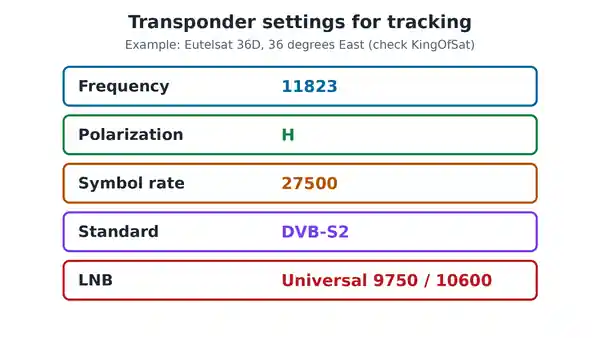
Worked example: Eutelsat 36D at 36 degrees East
Eutelsat 36D at 36 degrees East serves sub-Saharan Africa and carries DStv in Nigeria. KingOfSat lists its transponder EA6 at 11823.60 MHz, polarization H, symbol rate 27500, DVB-S2, on the Sub-Saharan Africa beam. To track it from Nigeria:
- Point the dish east and slightly south, roughly 100 to 112 degrees depending on your city.
- Set the elevation to roughly 51 to 56 degrees.
- Enter 11823, H, 27500 in the manual search and sweep slowly.
The exact angles for major Nigerian cities are in our guide on how to fix signal strength on DStv. Check KingOfSat before you start, because transponders do change.
Track a Satellite Dish With a Strong Decoder
Strong and similar free to air decoders follow the same pattern, though menu names vary by model:
- Press Menu and open Installation.
- Choose the satellite, or edit an empty satellite slot with the right position.
- Set the LNB type to universal, or enter 9750 and 10600.
- Open the transponder list and add the frequency, polarization and symbol rate.
- Watch the signal and quality bars at the bottom of the screen while you move the dish.
- When quality is steady, run a blind scan or a satellite scan and save the channels.
For a full worked install on a Strong decoder, see our guide to StarSat dish installation with a Strong decoder.
Using a Satellite Finder Meter
A satellite finder meter sits between the LNB and the cable to the receiver and beeps louder as the signal grows. It lets you track at the dish instead of shouting to someone at the TV. A basic meter reacts to any signal, so confirm with the quality bar on the receiver that you have the right satellite. Our guide on how to use a satellite finder meter walks through it.
Signal Strength but No Quality? Fix It
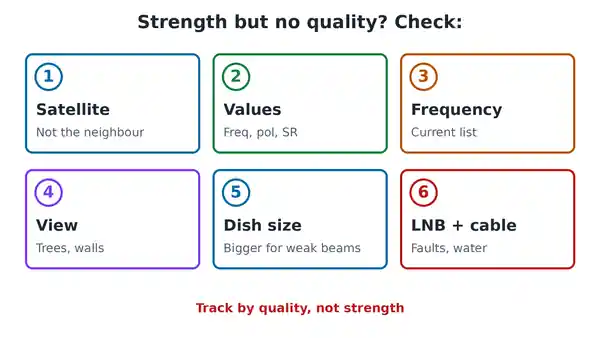
- Wrong satellite: strength without quality usually means you are on a neighbouring satellite. Move slowly and check the azimuth again.
- Wrong values: check the frequency, polarization, symbol rate and LNB type. One wrong digit stops the lock.
- Old frequency: look up a current transponder on KingOfSat or LyngSat.
- Blocked view: trees and buildings stop the signal completely.
- Dish too small: some beams are weak in parts of Africa and need a larger dish.
- Faulty LNB or cable: see our guide on how to fix an LNB on a satellite dish.
If the dish worked before and has suddenly lost the signal, our guide on what to do when a satellite dish says no signal covers the common causes.
Old Satellite Frequencies That No Longer Work
Many tracking guides, including the first version of this post, list satellites that have been retired or replaced:
- Eutelsat W3A and W4: replaced by newer Eutelsat satellites at 7 and 36 degrees East.
- Sirius 4: the 4.8 to 5 degrees East position is now used by SES satellites.
- MyTV Africa: the service shut down in 2023. See our guide on what to do with a MyTV decoder.
If a guide gives you a satellite name with a letter and number you cannot find on KingOfSat, assume it has changed and look up the position instead.
Common Questions
What does it mean to track a satellite dish?
It means pointing the dish at one satellite and fine tuning it until the receiver locks on and shows good signal quality. Installers also call it aligning or aiming the dish.
Which satellite does DStv use in Nigeria?
DStv in Nigeria uses the satellite at 36 degrees East. In the DStv installation wizard it is listed as E36B.
Can I track a satellite dish without a meter?
Yes. Use the signal quality bar on your receiver, move the dish in small steps, and have a helper call out the readings.
Why does my receiver show strength but no quality?
The dish is picking up some signal, but not from the satellite and transponder you entered. Check the values and the direction.
Where can I find free to air channel frequencies?
KingOfSat and LyngSat list current channels by satellite. Our guide to free to air satellite frequencies and positions explains how free to air channels work.
Track a Satellite Dish the Right Way
To track a satellite dish, get your angles from a satellite finder, set the pole upright, set the elevation and rough direction, enter a current transponder, then sweep slowly while watching signal quality. Peak, tighten and scan. For up to date frequencies, polarization and symbol rates by satellite, check KingOfSat before you climb the ladder.

Frenzy valentine is a passionate blogger, developer, and entrepreneur. He is the founder and author of myfreshgists.com.