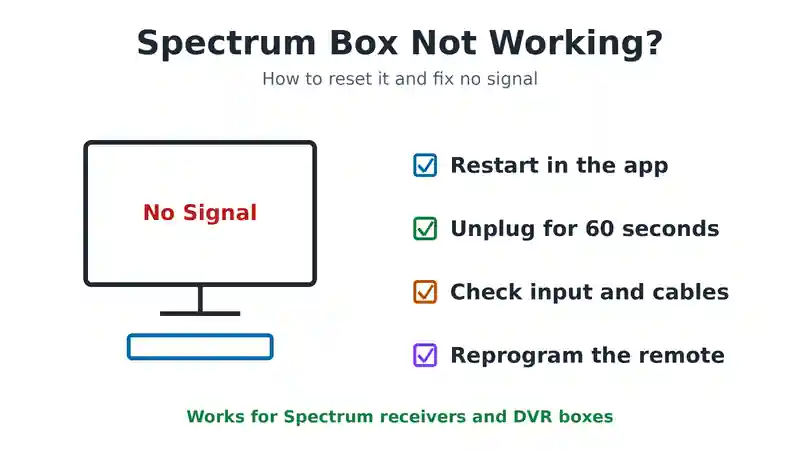
When your Spectrum cable box is not working, restart it first. Use the My Spectrum app, or unplug the box from the wall for 60 seconds and plug it back in. Then check that the TV is on the right input and the coax and HDMI cables are tight. Most freezes, blank screens and no signal messages clear with these steps, so try them before you book a technician.
This guide covers every common problem in order: a box that will not turn on, no signal, a frozen guide and a remote that will not respond. It also explains how to set up and activate a new Spectrum receiver.
Why Your Spectrum Cable Box Stops Working
A few causes explain most problems:
- A software glitch: the box gets stuck and needs a restart.
- Loose cables: often after cleaning or moving furniture.
- The wrong TV input: the box is fine, but the TV is looking at another HDMI port.
- An outage or maintenance: usually overnight, and it clears on its own.
- A power problem: a faulty power strip or wall socket.
- A failing box: less common, but it happens with older receivers.
If the box was fine and suddenly stopped without any change on your side, check for an outage first. It can save you a lot of troubleshooting.
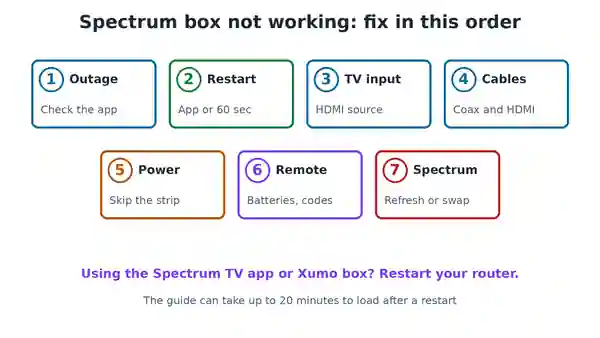
How to Reset a Spectrum Cable Box
There are three ways to restart your box. Try them in this order.
Reset through the My Spectrum app
Open the My Spectrum app and sign in. Go to Services, then TV, and find your receiver in the list. Choose the option to troubleshoot or restart it. The app sends a signal straight to the box, and most fixes finish within a few minutes without you touching a cable.
Reset through the Spectrum website
The same option is on the Spectrum website. Sign in, go to Services, choose TV, select your equipment and click Restart Equipment. Give it a minute or two, because the website can take slightly longer than the app.
Manual reset
Unplug the power cord from the box itself or from the wall, not just a power strip switch. Wait a full 60 seconds, then plug it back in. Waiting the full minute matters, because a short wait can leave the reset unfinished.
After power returns, give the box several minutes to start up. You will usually see the Spectrum logo and a message about loading channel information before live TV comes back. The guide can take up to 20 minutes to fill in completely.
Spectrum Box Not Turning On
If the box shows no lights at all, work through these checks:
- Test the socket. Plug a lamp or phone charger into the same socket. If it does not work either, the problem is the socket or the power strip.
- Skip the power strip. Plug the box straight into the wall. Surge protectors and timers sometimes fail without warning.
- Check the power cord. Make sure it is pushed fully into the back of the box.
- Press the power button on the box. If the box turns on this way, the problem is the remote, not the box.
- Let it cool. A box that overheats in a closed cabinet can shut down. Move it somewhere with air around it and try again after 15 minutes.
If the box still shows no lights, it is probably faulty. Contact Spectrum to arrange a replacement. Swapping a box is usually free when the fault is with the equipment.
Spectrum No Signal Troubleshooting
A no signal message almost always comes down to one of three things: the wrong TV input, a loose cable or an outage.
1. Check the TV input
Press Input or Source on your TV remote and step through the options until the Spectrum picture appears. This simple fix solves a surprising number of no signal problems.
2. Check the cables
Tighten the coax cable at the wall and at the back of the box. Push the HDMI cable in firmly at both ends. If a signal booster sits in the line, remove it and connect the cable straight to the box, because a failing booster can block the signal completely.
3. Check for an outage
Open the My Spectrum app or the Spectrum website and look for outage alerts at your address. During an outage, no amount of resetting will help. The service returns when Spectrum fixes the network.
4. Check splitters and wall plates
If the box shares a coax line with your internet modem or other TVs, there will be a splitter somewhere. An old splitter, or one with more outputs than you need, weakens the signal. Our guide on what to do when the TV says no signal but the cable box is on covers more TV side checks.
Fixing Spectrum Remote Problems
If the box works but will not respond to the remote, the cause is usually weak batteries, the wrong programming, damage or something blocking the path between the remote and the box. Fit fresh batteries first, and stand in direct view of the box.
Programming your Spectrum remote to a TV
With your TV on, press and hold the Menu and OK buttons together until the Input button blinks twice. Press the TV Power button once. Then press and hold the number for your TV brand until the TV turns off:
- Insignia or Dynex: 1
- LG or Zenith: 2
- Panasonic: 3
- Philips or Magnavox: 4
- RCA or TCL: 5
- Samsung: 6
- Sharp: 7
- Sony: 8
- Toshiba: 9
- Vizio: 0
If your brand does not respond, Spectrum’s remote code lookup on its website gives more codes to try.
Resetting the remote to factory settings
If programming keeps failing, reset the remote first. Press and hold the TV and OK buttons together for about one second, then let go. While the TV button light is still on, press and hold the Delete button until it blinks and turns off. Then program the remote again using the steps above.
How to Set Up a New Spectrum Cable Box
If you are installing a new receiver yourself, follow these steps:
- Connect the coax cable from the wall outlet to the Cable In socket on the box. If the same outlet also feeds your modem, use a splitter.
- Connect an HDMI cable from the box to your TV.
- Plug the box into a power socket.
- Put batteries in the remote.
- Turn on the box and the TV, and choose the correct input on the TV.
- Activate the box at Spectrum’s self install page, or follow the activation steps that appear on screen.
After activation, a welcome screen appears. The channel guide can take up to 20 minutes to load fully, but you can start watching while it does. If you are replacing an old box, return it to Spectrum so you are not charged for it.
Watching Spectrum TV Without a Cable Box
You do not always need a cable box. The Spectrum TV app runs on most smart TVs, Roku, Fire TV and Apple TV, and it lets you watch your channels with your Spectrum login. Spectrum also offers the Xumo Stream Box, which streams TV over your internet connection. These are good options for a spare room, and they can save you a monthly box rental fee. See our guide on adding the Spectrum TV app to a Samsung TV or Fire TV Stick.
If you use the app or a streaming box and lose the picture, the cable steps above do not apply. Restart your router and the streaming device instead. Our guide on checking if Spectrum internet is down can help.
When to Call Spectrum
Contact Spectrum if the box still will not work after a restart, a cable check and an outage check. Tell them what you have already tried. They can send a refresh signal, test the line to your home and arrange a technician or a new box if needed.
Common Questions
How do I reset my Spectrum cable box?
Use the My Spectrum app or website to restart it, or unplug the box from the wall for 60 seconds and plug it back in.
Will resetting my Spectrum box delete recordings?
A restart does not delete recordings saved on the box. Recordings on Spectrum’s cloud DVR are stored online and are not affected.
Why does my Spectrum box say no signal?
Usually the TV is on the wrong input, a cable is loose or there is an outage. Check those three things first.
How long does a Spectrum box take to restart?
A few minutes to show live TV, and up to 20 minutes for the full channel guide to load.
Fixing a Spectrum Cable Box Not Working
When your Spectrum cable box is not working, restart it through the app or by unplugging it for a minute. Then check the TV input, the cables and any outage at your address. If the remote is the problem, change the batteries and reprogram it. For Spectrum’s own steps, see their receiver troubleshooting page.

Frenzy valentine is a passionate blogger, developer, and entrepreneur. He is the founder and author of myfreshgists.com.
1 thought on “Spectrum Cable Box Not Working? How to Reset and Fix It (2026)”