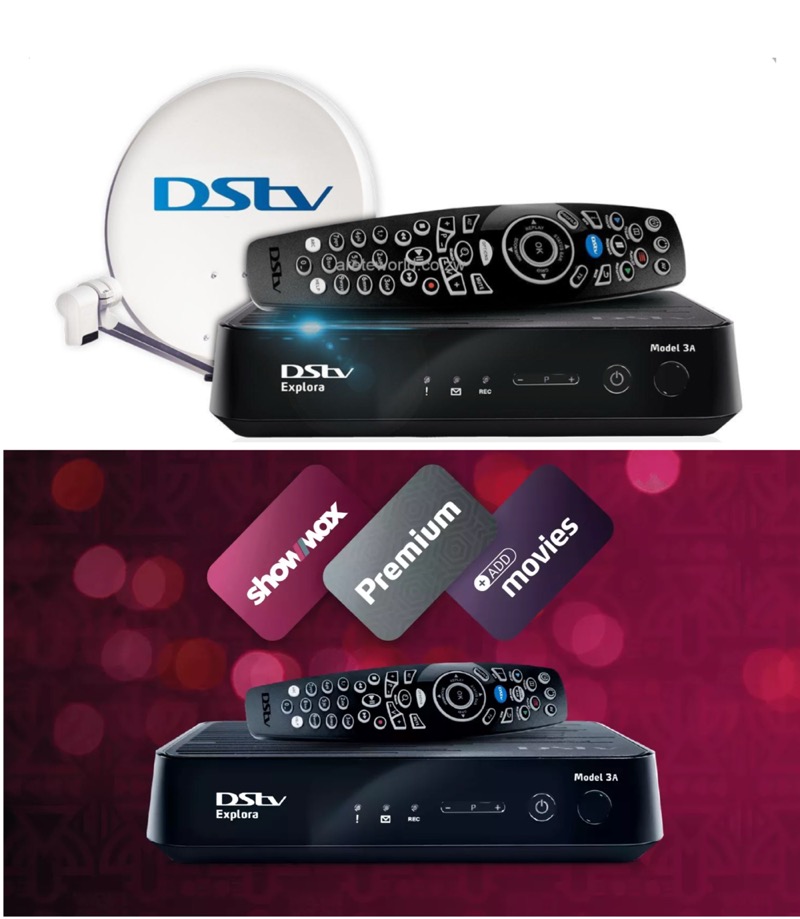
If your DStv just expired and you are trying to figure out the fastest way to pay without leaving your house, this guide covers every method that actually works in Nigeria in 2026. The MyDStv app, USSD codes, bank transfer, mobile banking apps, online platforms — all of it is here, step by step. We have also included the current DStv subscription prices so you know exactly how much to pay before you start.
Let us get straight into it.
Current DStv Subscription Prices in Nigeria 2026
Before you pay, you need to know how much your package costs. MultiChoice adjusted all DStv and GOtv prices on March 1, 2025, and these are the prices currently in effect:
| Package | Monthly Price | Channels |
|---|---|---|
| DStv Premium | ₦44,500 | 160+ |
| DStv Compact Plus | ₦30,000 | 130+ |
| DStv Compact | ₦19,000 | 100+ |
| DStv Confam | ₦11,000 | 65+ |
| DStv Yanga | ₦6,000 | 45+ |
| DStv Padi | ₦4,400 | 35+ |
These are the official prices announced by MultiChoice Nigeria. Note that DStv prices have been adjusted twice in recent years due to inflation and foreign exchange pressures, so it is worth checking back here whenever you hear about a price change. Make sure your decoder is switched on before you make payment — this prevents the E16 error code that sometimes appears when payment is processed while the decoder is off.
You will need your DStv smartcard number for every payment method on this list. It is a 10-digit number printed on your smartcard itself, shown on your decoder screen, or visible in the MyDStv app. Keep it handy before you start.
How to Pay DStv Subscription Online in Nigeria — All Methods
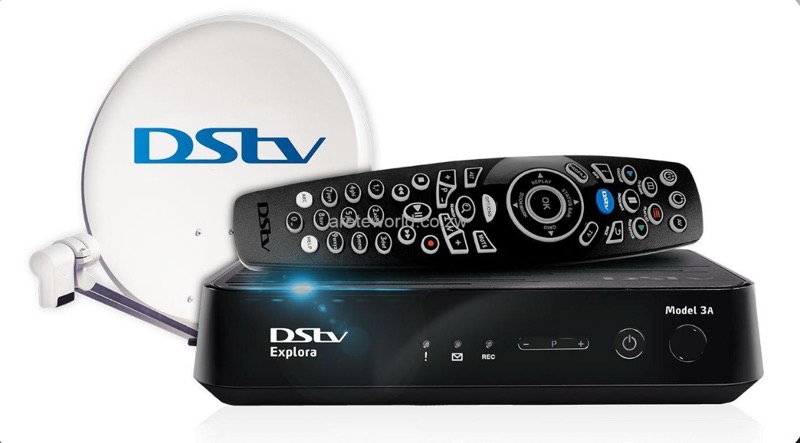
Method 1 — MyDStv App (Fastest and Most Recommended)
The MyDStv app is the official DStv payment and account management app and is by far the easiest way to pay in 2026. It works on both Android and iPhone, and payment reflects on your decoder within minutes. Here is the exact process:
- Download the MyDStv app from Google Play Store or Apple App Store if you do not already have it.
- Open the app and log in using your surname, registered mobile number, and smartcard number.
- On the home screen, tap Pay Now.
- Enter the amount you want to pay, or select your package from the list — the app will show the correct price automatically.
- Choose your payment method — debit card, bank transfer, or mobile money.
- Confirm payment using the OTP (one-time passcode) sent to your registered phone number.
- Your DStv subscription activates immediately. You will receive an SMS confirmation.
The MyDStv app also lets you set up Auto-Renewal so your subscription renews automatically on your due date every month without you having to do anything. This is the best way to avoid accidental disconnection mid-match or mid-series.
The app also allows you to pay for someone else’s DStv subscription — just enter their smartcard number instead of yours at the payment screen. Useful for paying for parents or relatives in a different city.
Method 2 — DStv USSD Code (Works Without Internet)
If you do not have internet access or prefer not to use an app, USSD is the next best option. It works on any mobile phone — not just smartphones — and you do not need data. There are two USSD approaches: the DStv self-service code and your bank-specific payment code.
DStv Self-Service USSD — dial *288#
- Dial *288# on the phone number registered to your DStv account.
- Select whether you are a DStv or GOtv customer.
- Enter your smartcard number to verify your account.
- Select option 3 — Pay Account.
- Follow the prompts to complete payment from your bank account.
DStv Direct USSD Payment — dial *389*9*SmartCardNumber#
This code takes you directly to the payment prompt. Replace SmartCardNumber with your actual 10-digit smartcard number and follow the on-screen instructions.
Here are the bank-specific USSD codes for DStv payment in Nigeria:
- GTBank: Dial *737*SmartCardNumber# or *737*SmartCardNumber*Amount#
- Access Bank: Dial *903# → select Bill Payment → select DStv → enter smartcard number and amount
- First Bank: Dial *894# → Pay Bills → follow the prompt
- Zenith Bank: Dial *966*7*Amount*SmartCardNumber#
- Fidelity Bank: Dial *770*1099*SmartCardNumber*Amount#
- FCMB: Dial *329*2*Amount*SmartCardNumber#
- Ecobank: Dial *326# → select Payment type → select DStv → enter smartcard number and amount
- UBA: Dial *919# → select Pay Bills → select DStv
Important: Make sure your decoder is switched on when making a USSD payment. If it is off, the channels may not refresh automatically and you will need to wait 15 to 30 minutes or manually clear the E16 error. See our guide on how to fix the DStv E48-32 and E16 error if this happens.
Method 3 — DStv Website (Pay on Laptop or PC)
If you prefer paying on a computer, the official DStv self-service website works well. Here is the process:
- Go to dstv.com/en-ng and click on My Account.
- Log in with your surname, registered mobile number, and smartcard number.
- Click View Balance and Pay.
- Click Pay Now on the payment summary page.
- Enter your Visa or Mastercard debit card details — card number, expiry date, and CVV.
- Confirm payment. Your subscription activates within minutes.
The website also shows your payment history, current package, and due date, so it is worth logging in even just to check what you owe before paying.
Method 4 — Mobile Banking App (Pay Bills Section)
Almost every major Nigerian bank app now has a Pay Bills section where DStv appears as a registered biller. The process is the same across all banks:
- Open your bank’s mobile app and log in.
- Navigate to Pay Bills or Payments.
- Select Cable TV then select DStv.
- Enter your smartcard number and the amount to pay.
- Confirm with your transaction PIN or OTP.
This works on GTBank, First Bank, Access Bank, Zenith, UBA, Stanbic IBTC, Sterling, Polaris, and most other Nigerian banks. Payment reflects on your decoder within five minutes in most cases.
Method 5 — QuickTeller and Other Online Platforms
QuickTeller (quickteller.com) is a longstanding and trusted platform for DStv payments. It interfaces directly with DStv’s billing system, which means your subscription reconnects automatically within five minutes of payment. The process is simple:
- Go to quickteller.com and search for DStv.
- Select your DStv package.
- Enter your email address, smartcard number, and mobile number.
- Click Next, verify your details, then click Pay.
- Enter your debit card details and complete payment.
Other trusted platforms that work for DStv payment in Nigeria include VTpass (vtpass.com), Paga, and OPay. All of these work with debit card or bank transfer and provide instant activation.
Method 6 — Walk-In Bank Payment (No Internet Needed)
If you are not comfortable with any digital method, you can still pay at any Nigerian bank branch. Walk in, ask for a DStv payment teller, fill in your name, smartcard number, and the amount, and submit it to the teller. The payment is processed immediately and you will receive an SMS confirmation on your registered number. This is the slowest option but it is fully reliable and works for anyone.
DStv Subscription Prices in Ghana and Kenya
DStv is available across Africa with different pricing per country. In Kenya, payment is most commonly made via M-Pesa or the MyDStv app, and prices are listed in Kenyan Shillings. In Ghana, payments are made in Ghana Cedis through mobile money, bank transfer, or authorised dealers. The MyDStv app works in all DStv markets and is the recommended payment method across all countries. Check the official DStv website for your country’s specific current prices as MultiChoice reviews them independently per market.
What to Do If Your DStv Payment Is Not Reflecting
This is one of the most common complaints after payment and it is almost always fixable without calling anyone. Here is what to do in order:
- Make sure your decoder was on during payment. If it was off, switch it on and wait 15 to 30 minutes for the signal to refresh automatically.
- Send a refresh request via USSD. Dial *288#, log in with your smartcard number, and select the reconnect option from the menu.
- Reset your decoder. Switch it off at the wall, wait 30 seconds, then switch it back on. This clears most activation delays.
- Check your decoder is not showing an E16 error. E16 means your account is not yet showing as paid on DStv’s system. This can take up to 30 minutes to clear automatically. If it persists after an hour, contact DStv customer care.
- Confirm you paid the right amount. Underpayment — even by a small amount — can result in the subscription not activating. Log into the MyDStv app to check your account balance and payment history.
For more detailed troubleshooting on decoder errors, see our guide on how to fix common DStv decoder problems in Nigeria.
How to Cancel or Pause Your DStv Subscription
If you want to stop your DStv subscription, you cannot do it by simply not paying — the account will just go into arrears and reconnect the moment a payment is received. To properly cancel or suspend your account, here is what to do:
- Call DStv customer care on 08039000300 and request a package suspension or cancellation. They will attempt to retain you with offers, but you can decline and proceed.
- Use the MyDStv app — go to Manage Subscription and look for the suspension or cancellation option. This is the quickest self-service route.
- If you have a debit order set up, you must cancel it separately through your bank to prevent automatic future payments. Log into your banking app and remove the DStv debit order from your standing instructions.
If you want to downgrade to a cheaper package rather than cancel completely, that can be done entirely through the MyDStv app under Manage Subscription → Change Package. You will move to the new lower package at the start of your next billing cycle.
DStv Customer Care Nigeria — Current Contact Details
If none of the above resolves your issue, here are the current DStv Nigeria contact details:
- Phone: 08039000300
- USSD self-service: *288# (pay, check balance, fix errors, reconnect)
- WhatsApp: +27 60 060 3788
- Twitter/X: @DStvNg
- Facebook: facebook.com/DSTVNigeria
- Website: dstv.com/en-ng
If your DStv dish is the problem rather than a payment issue — no signal, weak signal, or E48 error — see our full guide on fixing the DStv no signal and E48-32 error. And if you are also a GOtv subscriber looking for the equivalent payment guide, see our full GOtv packages and subscription prices guide for 2026.

Frequently Asked Questions
How do I pay DStv subscription online in Nigeria?
The easiest way is through the MyDStv app — download it, log in with your smartcard number, tap Pay Now, enter your amount, and pay with your debit card or bank transfer. Your subscription activates within minutes. You can also pay using USSD by dialing *288# or your bank’s bill payment USSD code.
What is the DStv USSD code for payment in Nigeria?
Dial *288# for the DStv self-service menu where you can pay, check your balance, and fix errors. For a direct payment shortcut, dial *389*9*YourSmartCardNumber# and follow the prompts.
How much is DStv subscription in Nigeria in 2026?
Current monthly prices are: Padi ₦4,400 — Yanga ₦6,000 — Confam ₦11,000 — Compact ₦19,000 — Compact Plus ₦30,000 — Premium ₦44,500. These prices have been in effect since March 1, 2025.
Can I pay DStv for someone else online?
Yes. On the MyDStv app, DStv website, or any third-party platform like QuickTeller or VTpass, simply enter the other person’s smartcard number instead of yours. The payment will apply to their account. You need no other details beyond their smartcard number.
Why is my DStv payment not reflecting?
Make sure your decoder was switched on during payment. If it was off, switch it on and wait up to 30 minutes for automatic activation. You can also speed this up by dialing *288# and selecting the reconnect option. If it still does not reflect after an hour, call DStv on 08039000300.
How do I set up automatic DStv payment so I never forget?
Open the MyDStv app, go to Payments, and enable Auto-Renewal. DStv will automatically deduct your subscription amount on your due date every month. You can cancel Auto-Renewal from the same screen at any time.

Frenzy valentine is a passionate blogger, developer, and entrepreneur. He is the founder and author of myfreshgists.com.