Last updated: October 2026
You paid your DStv subscription, but the channels are not showing. Or some channels play while others show an error code. In most cases your decoder simply has not received its activation, and a reset fixes it in about 15 minutes.
This guide shows you how to reset DStv in your country, what each common error code means, and what to do when a reset does not bring your channels back.
On This Page
- Why DStv channels stop showing
- Before you reset: two quick checks
- How to reset DStv
- What the DStv error codes mean
- Smartcard errors
- Only some channels missing
- The reset did not work
- Common questions
Why DStv Channels Stop Showing
DStv channels usually stop showing because the decoder has not received the activation for your subscription. This happens when you pay while the decoder is off, after a long gap in payment, or after a power cut. A reset sends the activation again.
Your payment and your decoder are two separate things. When you pay, DStv sends an activation signal by satellite. If the decoder is switched off or has no signal at that moment, it misses it. The channels then stay locked, usually with an E16 or similar code, even though your account is paid.
Other causes are less common: a smartcard problem, a channel that is not in your package, or a signal fault on the dish. The error code on your screen tells you which one you have.
Before You Reset: Two Quick Checks
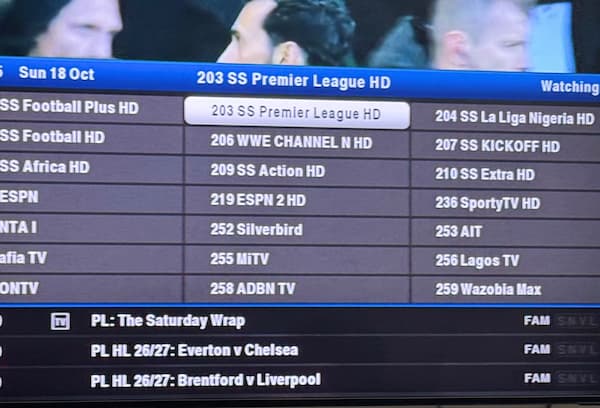
A reset only works if the decoder can receive it. Switch the decoder on, tune it to a DStv channel, and check that the picture or the error code is showing normally. If you see E48-32 or no signal, fix the signal first, because the reset cannot reach your decoder.
- Is the decoder on and tuned to a channel? Not in standby, not on the TV guide, not on a recording. Leave it on a channel such as SuperSport or a news channel.
- Is there a signal? If the screen shows E48-32 or a no signal message, the problem is the dish or cable, not your account. Our guide on fixing the DStv E48-32 error covers that.
Also check that the payment went to the correct smartcard or IUC number. A payment to a mistyped number will never reach your decoder, however many resets you send.
How to Reset DStv
You can reset DStv through the DStv app, the DStv website, or a USSD code on your phone. All three send the same activation to your decoder. Choose “Fix errors” or “Clear error code”, enter your smartcard number, select the error showing, and wait up to 15 minutes with the decoder on.
Through the DStv app or website
- Open the DStv app, or go to the DStv website and choose your country.
- Sign in with your smartcard or IUC number and your registered details.
- Choose “Fix errors” or “Clear error code”.
- Select the error code showing on your TV, such as E16.
- Confirm, then leave the decoder on and tuned to a channel.
By USSD code
- Nigeria: dial *288#, choose “Fix errors”, confirm your details, enter your smartcard number, and select the error code. DStv says the error usually clears within about 15 minutes.
- South Africa: dial *120*68584# from the mobile number registered on your DStv account, and choose the option to clear an error.
- Other countries: your country’s DStv website lists its own USSD code and self service options.
By WhatsApp
DStv also offers self service on WhatsApp in several countries. In South Africa, the number widely published for DStv self service is 060 060 3788. Check your country’s DStv website for the current number before you message it.
Your smartcard number is printed on the card inside the decoder. Your IUC number is on a sticker under or behind the decoder. Keep a photo of both on your phone so you never have to search for them.
What the DStv Error Codes Mean
The error code on your screen tells you the cause. E16, E17 and E19 point to the subscription or activation. E30 and E32 mean the decoder is still checking, so wait. E48 and E48-32 are signal problems. E04 to E07 are smartcard problems.
These are the meanings DStv gives on its official error code list, with what to do:
- E16: service currently scrambled. The most common code. Send a reset. If it stays, check the channel is in your package.
- E17: no active subscription. Check your payment went through to the right smartcard, then reset.
- E19: subscription expired. Renew your subscription, then reset if the code stays.
- E30: subscription status being checked. Wait a few minutes with the decoder on a channel. It often clears by itself.
- E32: validation in progress. Wait. Send a reset only if it lasts longer than about 15 minutes.
- E18: channel unavailable. Try other channels. If only this one shows E18, it may be off air.
- E43: channel not available in your country. Nothing to fix. The channel is not licensed where you are.
- E48 and E48-32: signal problems. A reset will not help. Fix the dish, cable or weather issue first.
- E04 to E07: smartcard problems. See the next section.
For a code not listed here, DStv’s official error code page gives the title of every code. For the GOtv versions of these codes, see our guide to clearing E16, E19, E30 and E32 errors.
Smartcard Errors
If the screen asks you to insert your smartcard, or says the card is not recognised, take the card out, wipe the gold chip gently with a dry soft cloth, and push it back in with the chip facing down. Restart the decoder and wait a few minutes.
Smartcards work loose when the decoder is moved, and dust on the chip stops it reading. Do not use water or cleaning liquid on the chip.
Make sure it is your own smartcard. A card swapped with another decoder in the house will not work in the wrong one. If the card is cracked or bent, or the error stays after cleaning, contact DStv for a replacement card.

Only Some Channels Missing
If most channels work but a few show E16, those channels are almost certainly not in your package. Your reset worked. You are paying for a package that does not include them, or they have moved to a higher package.
DStv changes which channels sit in which package from time to time. A channel you watched last year may now need a higher package. Check the current channel list for your package on the DStv website. If the channel has moved, upgrading is the only way to get it back.
If channels are simply missing from the list, with no error code, the decoder needs to rescan. Running the installation wizard picks up new and moved channels. Our guide to fixing DStv not scanning walks you through it.
The Reset Did Not Work
If channels are still not showing after 15 minutes, check the four things that block a reset: the decoder was not on a channel, there is no signal, the payment went to the wrong number, or the smartcard is not being read. Fix the one that applies, then send one more reset.
Avoid sending reset after reset. Each one goes to the back of the queue, and sending several does not make it faster. Send one, wait 15 minutes, and check.
If the code still will not clear, restart the decoder at the wall, wait 60 seconds, and switch on again. Leave it on a channel for another 15 minutes. If it still shows the error, contact DStv customer care in your country with your smartcard number, the error code, and your payment reference ready.
If the decoder itself will not start properly, or shows a red or orange light, our guides on DStv decoder lights and a decoder that is not booting cover those problems.
Common Questions
How do I reset DStv after payment?
Leave the decoder on and tuned to a channel. Then use the DStv app, the DStv website or your country’s USSD code, choose “Fix errors”, enter your smartcard number and select the error code. Wait up to 15 minutes.
Why are my DStv channels not showing after I paid?
The decoder missed the activation, usually because it was off or had no signal when you paid. A reset sends it again. Also check the payment went to the correct smartcard number.
What is the DStv USSD code?
In Nigeria it is *288#. In South Africa, dial *120*68584# from your registered number. Other countries have their own codes on their local DStv website.
How long does a DStv reset take?
Usually a few minutes, and up to about 15 minutes. Keep the decoder on and tuned to a channel the whole time.
What does E16 mean on DStv?
It means the service is scrambled, usually because the decoder has not received its activation, or the channel is not in your package. A reset fixes the first. Upgrading fixes the second.
Can I reset DStv without the app?
Yes. Use the USSD code for your country, the DStv website, or DStv’s WhatsApp self service where it is available.
The Short Version
Switch the decoder on and leave it on a channel. Check there is a signal and that you paid to the right smartcard number. Then send one reset through the DStv app, website or your country’s USSD code, and wait 15 minutes. Read the error code if channels still do not show, because it tells you whether the cause is the subscription, the smartcard, the package or the signal.
For the full list of codes, see DStv’s official error code page.

Frenzy valentine is a passionate blogger, developer, and entrepreneur. He is the founder and author of myfreshgists.com.
The information was so helpful my channels started showing almost immediately, thanks