An employee’s laptop loses its office Wi-Fi signal so they flip on their phone’s personal hotspot and keep working. It takes five seconds. It feels completely harmless. To your IT security team, it just punched a hole straight through your corporate network perimeter. Personal hotspot use is one of the most overlooked security risks in modern workplaces — and most employees doing it have no idea they are creating a problem at all.

How a personal hotspot bypasses your corporate security
When a company device connects to a personal mobile hotspot, it leaves your managed network entirely. Traffic stops passing through your firewalls, your intrusion detection systems, and your security operations center monitoring tools. Your IT team effectively loses sight of that device the moment it switches networks.
Personal hotspots use WPA2 or WPA3 encryption, which puts them a step above an open coffee shop network. But that is where the protection ends. A smartphone used as a hotspot has no hardware firewall, no deep packet inspection capability, and none of the enterprise security controls your corporate network enforces. It creates a direct, unfiltered path between the open internet and your company device.
If the employee’s smartphone has been compromised by malware, that malware now has a bridge straight into your corporate endpoint. And because the connection looks normal to the employee, neither of you will know it is happening.
The VPN problem that quietly kills your security policy
Most organizations require employees to run a corporate VPN on work devices. It is one of the most basic controls in any remote work security policy. Personal hotspots have a consistent and well-documented tendency to break it.
Consumer mobile hotspots frequently struggle to pass enterprise VPN tunneling protocols reliably. The connection drops, slows to a crawl, or refuses to stabilize with a VPN running. Employees quickly learn that turning off the VPN makes the hotspot work properly again. So they turn it off.
Now sensitive corporate data — emails, file transfers, cloud application traffic — travels completely unencrypted across a connection your security team cannot see or monitor. This is rarely a deliberate policy violation. It is an employee solving a connectivity problem the fastest way available. But the security outcome is identical regardless of intent: your VPN policy is circumvented and your data is exposed.
Man-in-the-middle attacks and evil twin hotspots
The risk extends beyond the hotspot device itself. Attackers actively target employees who use personal hotspots, particularly in locations like airports, hotels, conference venues, and coffee shops where hotspot use is common.
In a man-in-the-middle attack, an attacker positions themselves between the employee’s device and their hotspot connection. They intercept traffic silently, capturing login credentials, session tokens, and sensitive business data without the employee noticing anything unusual. The connection continues working normally while everything transmitted passes through the attacker first.
Evil twin attacks work differently but are equally dangerous. An attacker sets up a fake hotspot using a name that closely mimics a real one — “iPhone Hotspot” or “Sarah’s iPhone” — and waits. Modern smartphones remember and automatically reconnect to known network names. A device that connected to a similarly named hotspot previously may silently join the fake one the next time it detects a matching name. Once connected, the attacker has full visibility into every piece of data flowing through that counterfeit connection.
Fiber vs cable internet: When Does Fiber actually pay for itself
The compliance exposure your legal team will care about
Beyond the technical risks, personal hotspot use creates a documented compliance problem for businesses operating under regulatory frameworks.
GDPR requires organizations to demonstrate control over how personal data is transmitted and processed. When an employee transmits data through an unmanaged personal device on a personal cellular plan, that transmission sits entirely outside your documented data processing chain. If it involves personal data — a customer record, an HR file, a financial document — and a breach occurs, your ability to show you took reasonable precautions is seriously weakened.
HIPAA and PCI-DSS carry similar requirements. Healthcare organizations handling patient records and businesses processing payment card data face direct regulatory exposure when that data moves across unmanaged, unaudited personal hotspot connections. Regulators do not consider productivity pressure a valid mitigation.
The audit trail problem compounds all of this. When traffic flows through a personal hotspot, your security operations center loses all telemetry. There are no logs to review, no outbound traffic patterns to analyze, and no forensic trail to follow if a breach is discovered. You may not find out something went wrong until weeks after the fact — by which point the damage is already done.
Why employees keep doing it anyway
Understanding why employees use personal hotspots is just as important as understanding the risks they create. The behavior is almost always rational from the employee’s perspective.
Office Wi-Fi is slow or drops out. A client site has no usable network. A field worker is in a location with no other option. A deadline is minutes away. The fastest path to staying connected is sitting in their pocket, and nobody told them it was a problem.
Employees who are unaware of the risks are not being careless — they are solving a real problem with the tools available. A blanket ban without addressing the underlying connectivity need tends to produce something worse: shadow IT. Employees who still use personal hotspots but now do it without telling anyone, which removes even the limited visibility you had before.
How to fix it without killing productivity
The goal is not to eliminate personal hotspot use entirely. It is to control it in a way that maintains security without leaving employees stranded.
Write and communicate a clear acceptable use policy. Most employees using personal hotspots for work have never been told it creates a security concern. A policy that explicitly addresses mobile hotspots, explains the risks in plain language, and sets out when use is and is not permitted closes the awareness gap immediately. People who understand why a rule exists are far more likely to follow it.
Enforce VPN at the device level. Configure company devices so that VPN activation is mandatory and cannot be disabled by the end user. Mobile device management platforms allow IT teams to enforce this at the operating system level, so that any device connecting to any network — including a personal hotspot — automatically tunnels all traffic through the corporate VPN before anything leaves the endpoint.
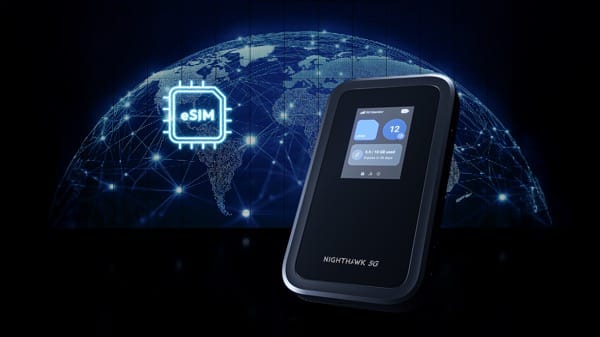
Provide a managed alternative for field staff. Employees who genuinely need mobile connectivity deserve a real solution, not just a prohibition. Enterprise mobile hotspot devices with centrally managed firmware, enforced encryption, and IT-visible traffic logs give field workers the access they need while keeping your security team informed. Some organizations issue corporate SIM data plans as standard remote work equipment, removing the personal hotspot temptation by replacing it with a managed equivalent.
Move toward zero trust architecture. Zero trust assumes that no connection — from the office, a home network, or a personal hotspot — is inherently trustworthy. It verifies every user and every device before granting access to any resource, regardless of where or how that device connects. For organizations with significant remote or field workforces, zero trust removes the dependency on network perimeter controls that personal hotspots so easily sidestep.
Personal hotspot use is a symptom of a real problem: employees need to stay connected, and they will find ways to do it whether IT approves or not. The organizations that handle this well are the ones that acknowledge the legitimate need, provide a secure alternative, and enforce policy through technology rather than trust alone. For a technical breakdown of how zero trust applies to unmanaged network access, Fortinet’s zero trust and VPN guide is a practical starting point.

Frenzy valentine is a passionate blogger, developer, and entrepreneur. He is the founder and author of myfreshgists.com.