You sit down to work, open your laptop, and your internet drops. Same time, every single morning, like clockwork. You restart the router. You curse. By 9:30 it is fine again. Sound familiar? You are not imagining it, and your router is probably not broken. The real reason your internet dies at 9am every day has nothing to do with your equipment at all.
Your neighborhood is all logging on at the same time
The most common cause of internet dropping at the same time every morning is shared bandwidth congestion. If you have a cable internet connection, you do not have a dedicated line to yourself. You share a local network node with every other home on your street, and that node has a fixed amount of bandwidth to hand out.
Between 8am and 10am on weekdays, something predictable happens. Kids log into school. Remote workers fire up Zoom, Slack, and cloud drives. Parents start streaming. Every device in every nearby home connects at roughly the same time. That shared node suddenly has far more demand than it can handle, and everyone’s speeds fall. You happen to notice it at 9am because that is when you need it most.
Cable internet providers sell plans based on what speeds are possible, not what is guaranteed. During peak hours, that advertised speed gets divided among dozens or even hundreds of households sharing the same infrastructure. Cable internet nodes can serve anywhere from 500 to 2,000 homes from a single connection point. When half of them log on at once, the math works against you.

How to know for certain this is your problem
The simplest diagnostic is a timed speed test. Run one at 7am before the congestion hits. Run another at 9am when the drop usually happens. Then run one more after midnight when the neighborhood is asleep. If your speed at 9am is dramatically lower than your early morning or late night result, and nothing has changed inside your home, the bottleneck is outside your walls. It is your ISP’s shared node, not your router.
One other sign: your internet does not just slow down, it comes back on its own after 30 to 60 minutes without you doing anything. That is the congestion easing as people get settled into their day and stop hammering the connection with login bursts and automatic updates.
Other reasons internet drops at exactly the same time every morning
Shared bandwidth is the leading cause, but a few other things can cause your internet to disconnect at the same time every day.
DHCP lease expiry. Every device on your network is given a temporary IP address by your router. These addresses expire on a schedule and must be renewed. In some cases, a failed renewal causes a brief internet disconnect. It happens at the same time every day because the lease timer is consistent. Most routers handle this silently, but older or cheaper modems sometimes drop the connection for a few seconds during the renewal process.
Automatic background updates. Windows, macOS, cloud backup apps like OneDrive or Dropbox, and security software often schedule their updates to run at startup or at a fixed morning time. When your computer boots at 8:45am and immediately starts downloading a Windows update in the background, it eats a large chunk of your available bandwidth. If everyone in the house boots up at similar times, that internal bandwidth drain compounds the congestion already happening outside.
Router overheating. A router that sits in an enclosed cabinet, stacked under other equipment, or in a warm room will throttle its own performance to manage heat. If the drop happens reliably mid-morning and your router feels hot to the touch, poor ventilation is worth checking. Moving it to an open, cool spot costs nothing and can make a real difference.
Scheduled modem tasks. Some cable modems run an automatic diagnostic or firmware check on a daily schedule. During this check, the connection briefly drops. The modem manufacturer or your ISP usually sets the timing, and the drop lasts only a minute or two. If your drops are very short and consistent to the minute, log into your modem’s admin panel and look for a scheduled maintenance or check-in setting.
How to fix internet that drops at 9am every day
The right fix depends on which cause is behind your drops. Work through these in order.
Run the timed speed test first. If your 9am speed is significantly lower than your off-peak speed, the problem is ISP congestion and not something you can fix with a router reboot or a new cable. Skip straight to the ISP-level solutions below.
Check for background updates and control them. On Windows, go to Settings, then Windows Update, then Advanced Options, and set Active Hours so updates do not run during your working morning. On Mac, open System Settings, go to General and Software Update, and disable automatic downloads during the hours you need your connection most. Do the same for any cloud sync apps running at startup.
Enable QoS on your router. Quality of Service settings let you tell your router which devices and tasks get bandwidth priority. Log into your router’s admin panel, find the QoS settings, and give your work laptop or desktop the highest priority. This does not create more bandwidth from your ISP, but it stops your smart TV or someone else’s phone from eating into the bandwidth you need for a video call.
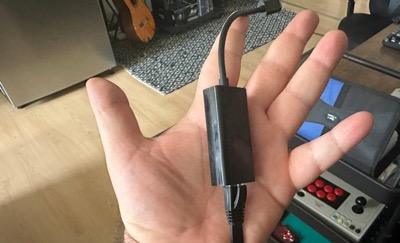
Use a wired ethernet connection. When congestion hits, a wired connection performs more reliably than Wi-Fi. Wi-Fi adds interference and signal variability on top of the congestion problem. A direct ethernet connection from your router to your laptop removes one layer of instability even when the node outside is strained.
Call your ISP and document the pattern. If the timed speed test confirms your speeds are genuinely dropping by more than 20 to 30 percent at the same time every day, that is a documented service issue. Call your provider, give them your speed test results with timestamps, and ask them to check node utilisation in your area. ISPs can and do upgrade overloaded nodes, but only when they see consistent evidence of the problem.
Consider switching from cable to fiber. Fiber internet uses a dedicated connection to your home rather than a shared neighbourhood node. It is largely immune to the peak-hour congestion that causes morning drops on cable. If fiber is available in your area and your drops are a daily work-from-home problem, switching is the most permanent fix available. According to measured performance data, cable internet speeds fall 28 to 40 percent during peak hours, while fiber drops by only 3 to 5 percent under the same conditions.
What to tell your ISP if they push back
Some ISPs will send a technician who checks your modem, declares it healthy, and closes the ticket. That is because the modem often is healthy. The problem is upstream on the shared node, which the technician cannot fix with a house visit. Ask your provider specifically to check node utilisation and congestion data for your area during the 8am to 10am window. Use the words “node congestion” and ask them to pull the upstream signal data from their Cable Modem Termination System, known as the CMTS. That is the language that moves the conversation from your house to the infrastructure where the real problem sits.
For a deeper technical look at how cable internet congestion works and how to document it properly for your provider, the TestMySpeed congestion guide is one of the clearest breakdowns available. The bottom line is straightforward: internet that drops at exactly the same time every morning is not random. It is a pattern, and patterns have causes. Once you identify which cause applies to your situation, the fix is usually simpler than the frustration that brought you here.

Frenzy valentine is a passionate blogger, developer, and entrepreneur. He is the founder and author of myfreshgists.com.